A look inside HostelOp

Real screenshots of the software with a demo hostel. Tap the numbered dots to see what each part does.

Made-up data from a demo hostel

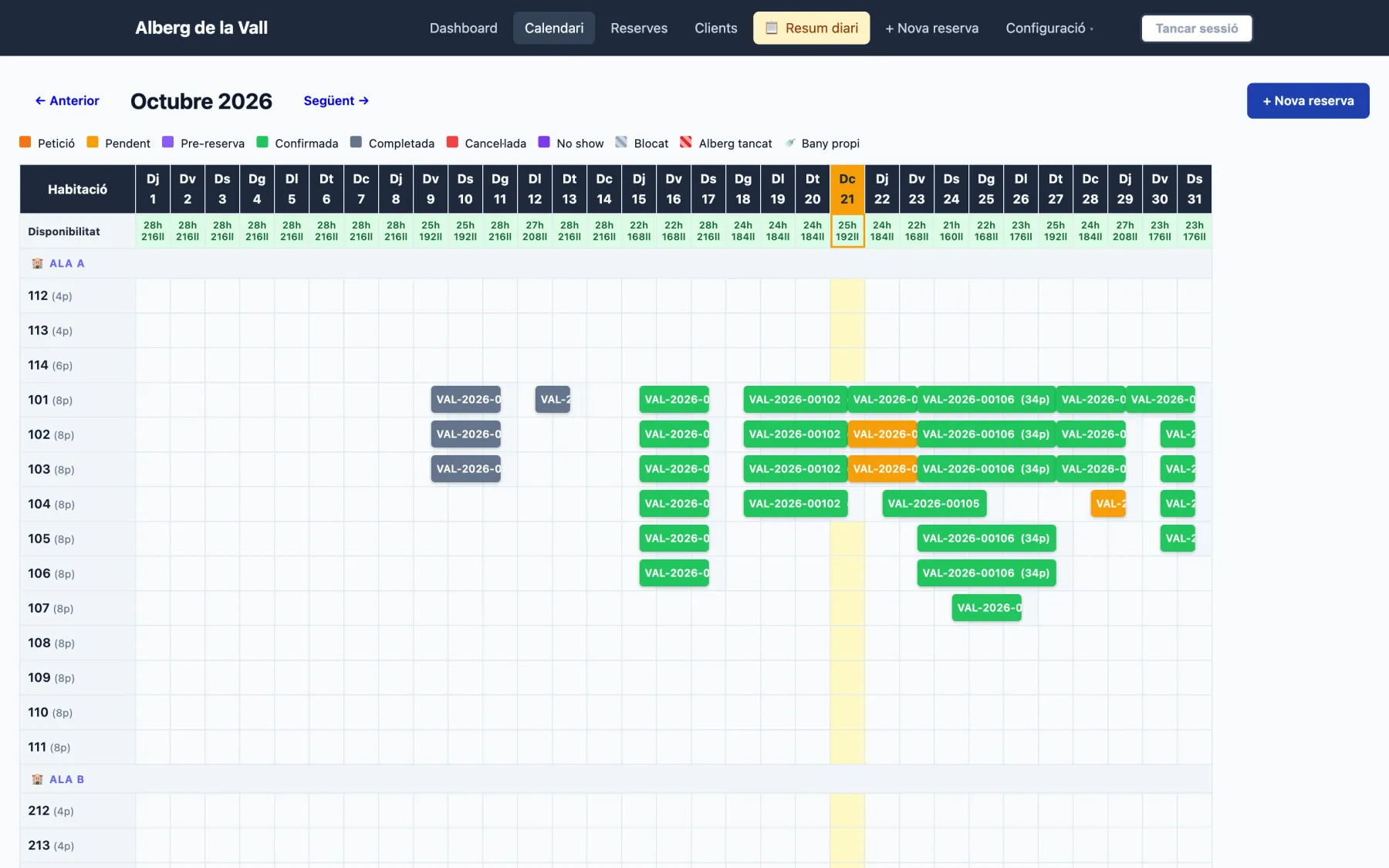
Occupancy calendar

Every room and every day of the month in one view, grouped by wing or floor.

  1. 1
    One colour per statusRequest, pending, pre-booking, confirmed… at a glance.
  2. 2
    Free beds every dayRooms and beds available, worked out from bookings and blocks.
  3. 3
    Today, always in viewToday's column is highlighted so you know who arrives and who leaves.
  4. 4
    Groups across several roomsA school or youth group fills as many rooms as needed with a single booking.
  5. 5
    Wings and floorsThe order and grouping follow your building, not a hotel template.
hostelop.com/admin/calendar
Occupancy calendar

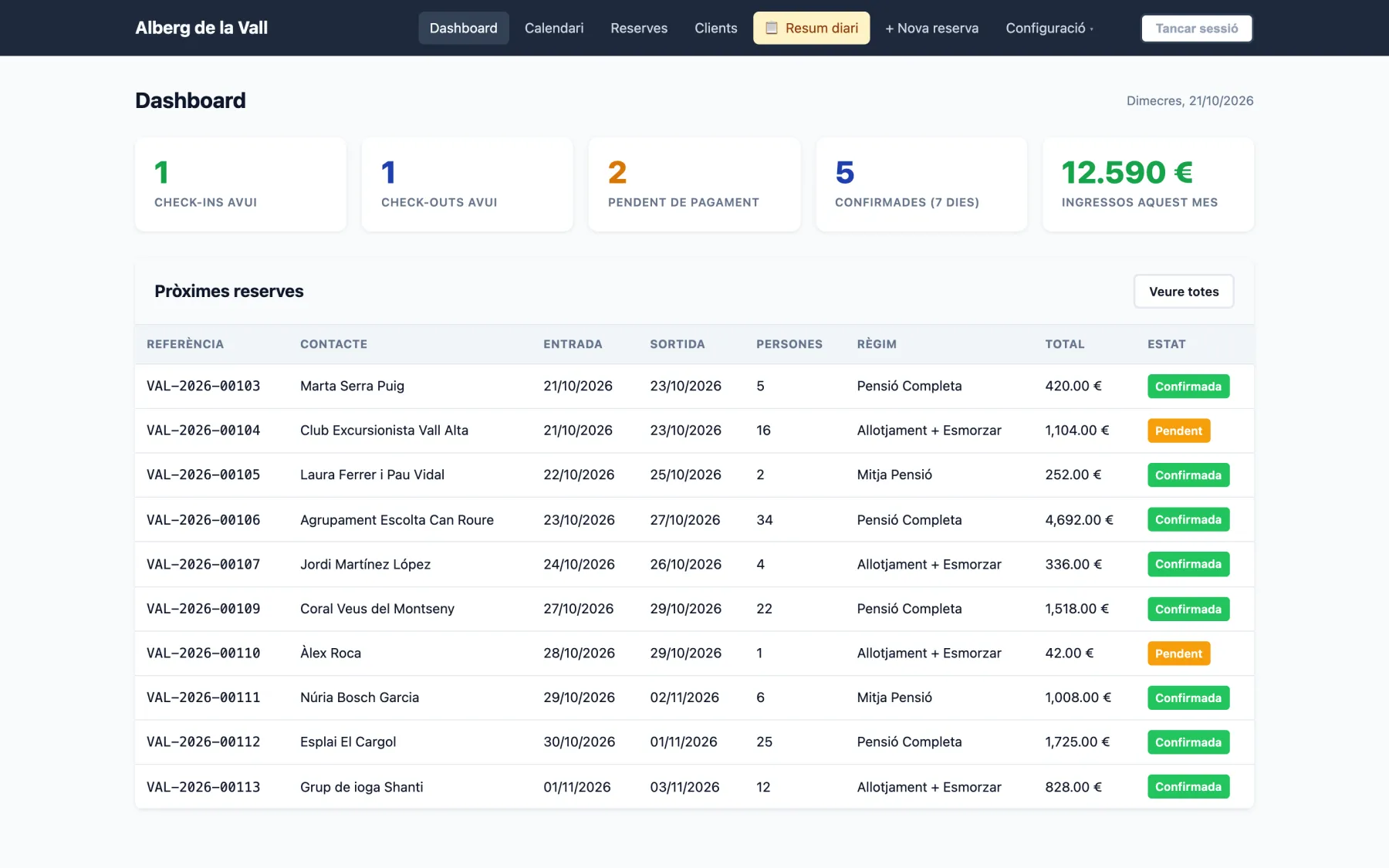
Your day at a glance

Open the dashboard and see what matters today: arrivals, departures, what's still unpaid and upcoming bookings.

  1. 1
    Arrivals and departuresHow many check-ins and check-outs you have today.
  2. 2
    Revenue this monthWhat you've already collected this month.
  3. 3
    Upcoming bookingsWith meal plan, guests and status for each one.
hostelop.com/admin
Your day at a glance

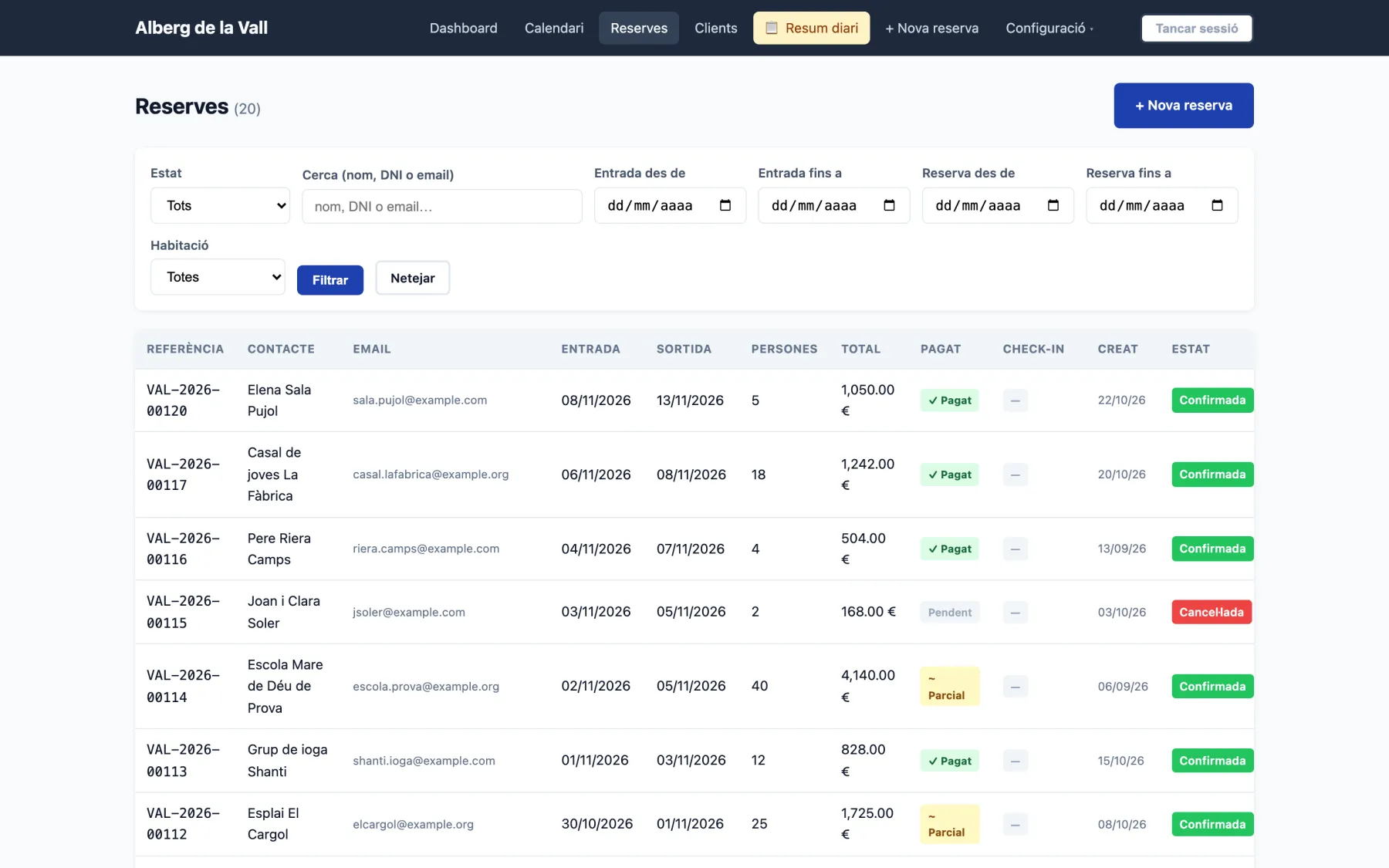
Every booking, filtered your way

Search by name, ID or email, filter by dates, status or room, and see what's been paid.

  1. 1
    FiltersBy status, arrival dates, booking dates and room.
  2. 2
    Paid, partial or pendingDeposits show as part payment.
  3. 3
    Check-in statusWhether the guest has filled in their details before arriving.
hostelop.com/admin/bookings
Every booking, filtered your way

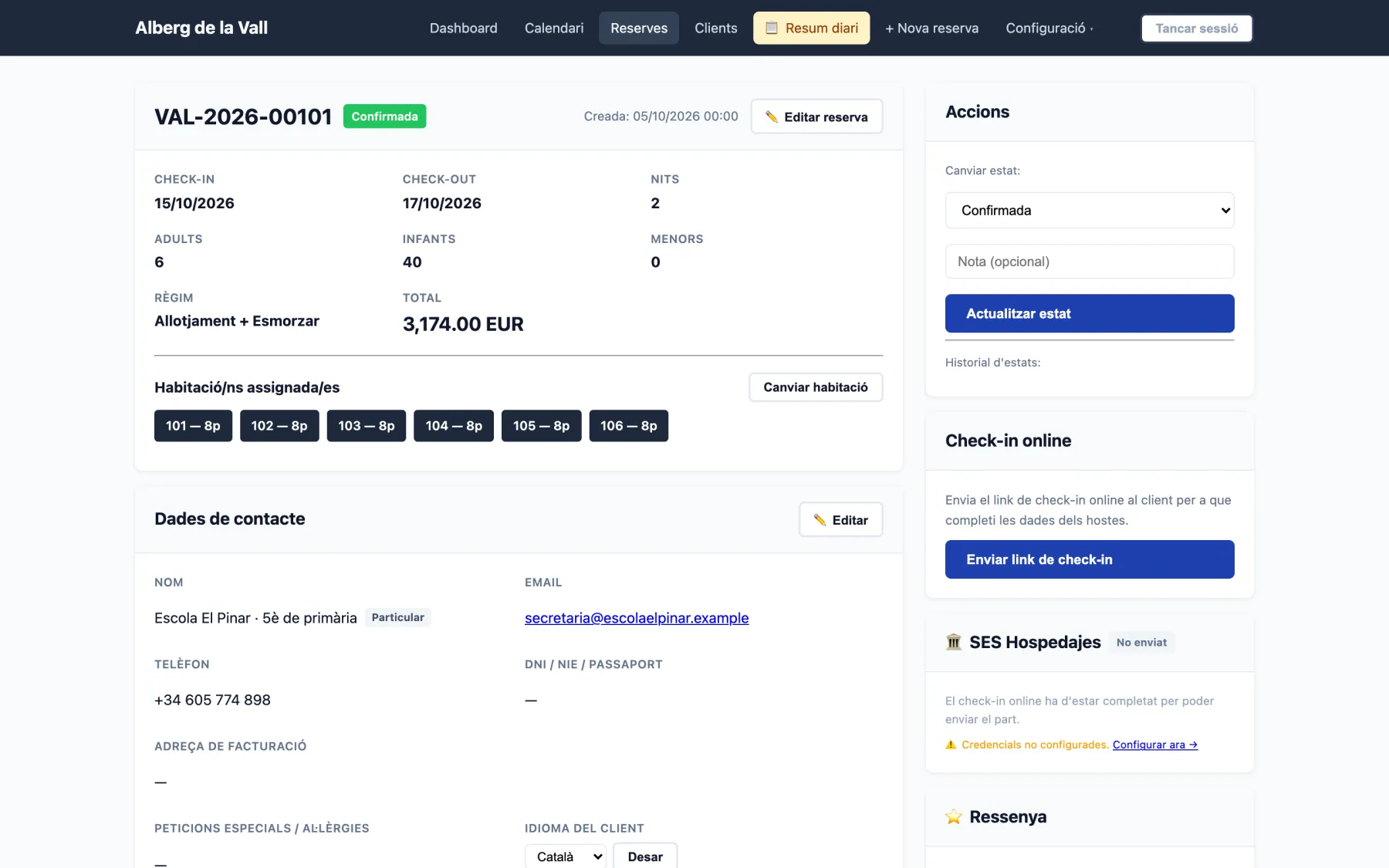
Each booking's record

Dates, guests, meal plan, rooms, contact, payments and messages with the guest, all on one page.

  1. 1
    Assigned roomsAutomatically or by hand, and you can change them any time.
  2. 2
    Status changes with historyEvery change is logged with who made it and when.
  3. 3
    Online check-inOne click and the guest gets a link to fill in every traveller's details.
  4. 4
    Guest registration with the policeSES.Hospedajes via web service, or the Mossos file in Catalonia.
hostelop.com/admin/bookings/101
Each booking's record

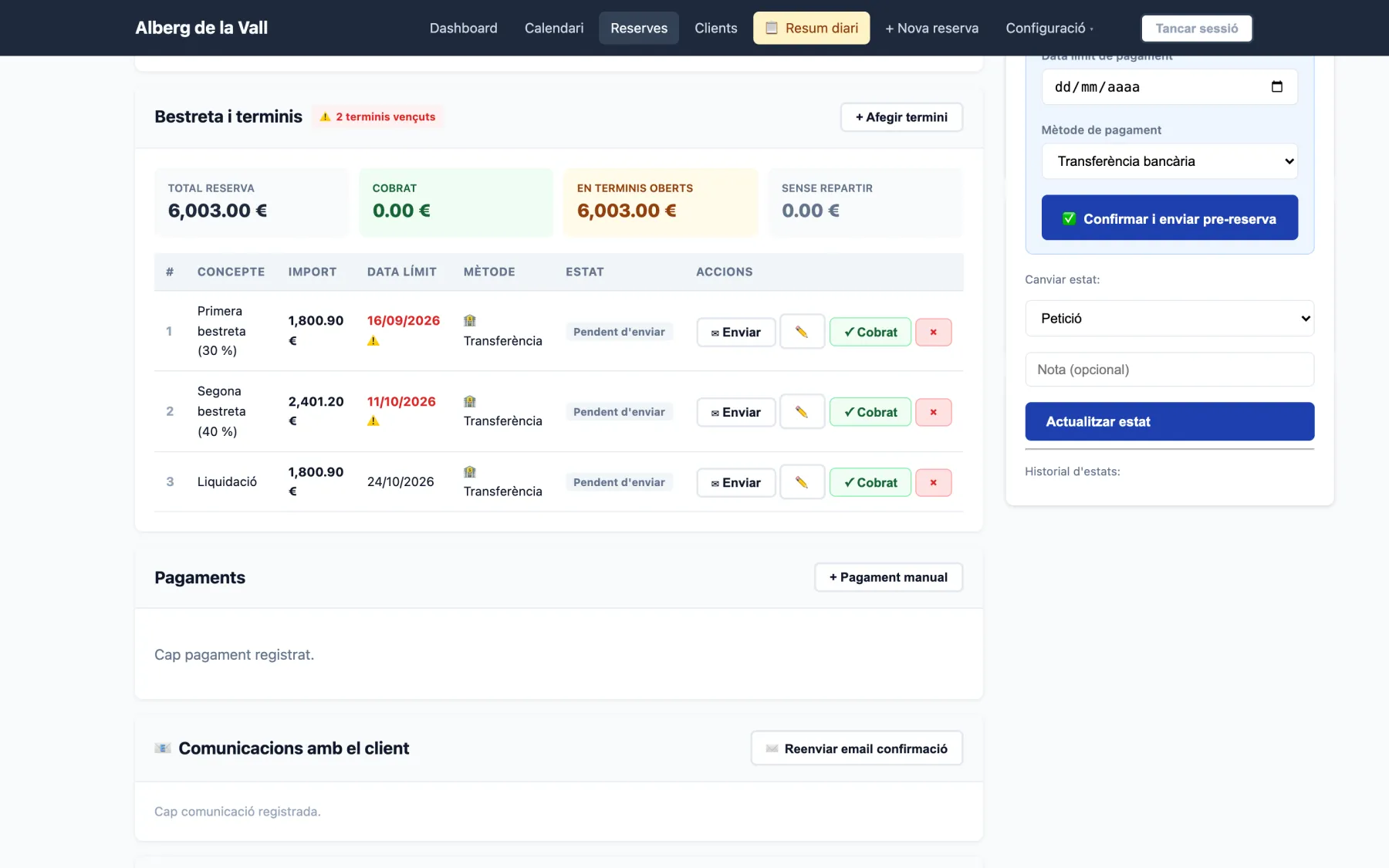
Deposits in instalments

For groups and schools: split the amount into instalments with due dates and send a payment link for each.

  1. 1
    Overdue alertsSee straight away which instalments are overdue.
  2. 2
    Collected and pendingTotal, collected, in open instalments and not yet split.
  3. 3
    Payment linkThe customer pays each instalment by card through your bank's terminal.
  4. 4
    Pre-bookingIn request mode, you confirm and send the pre-booking with the deposit.
hostelop.com/admin/bookings/108
Deposits in instalments

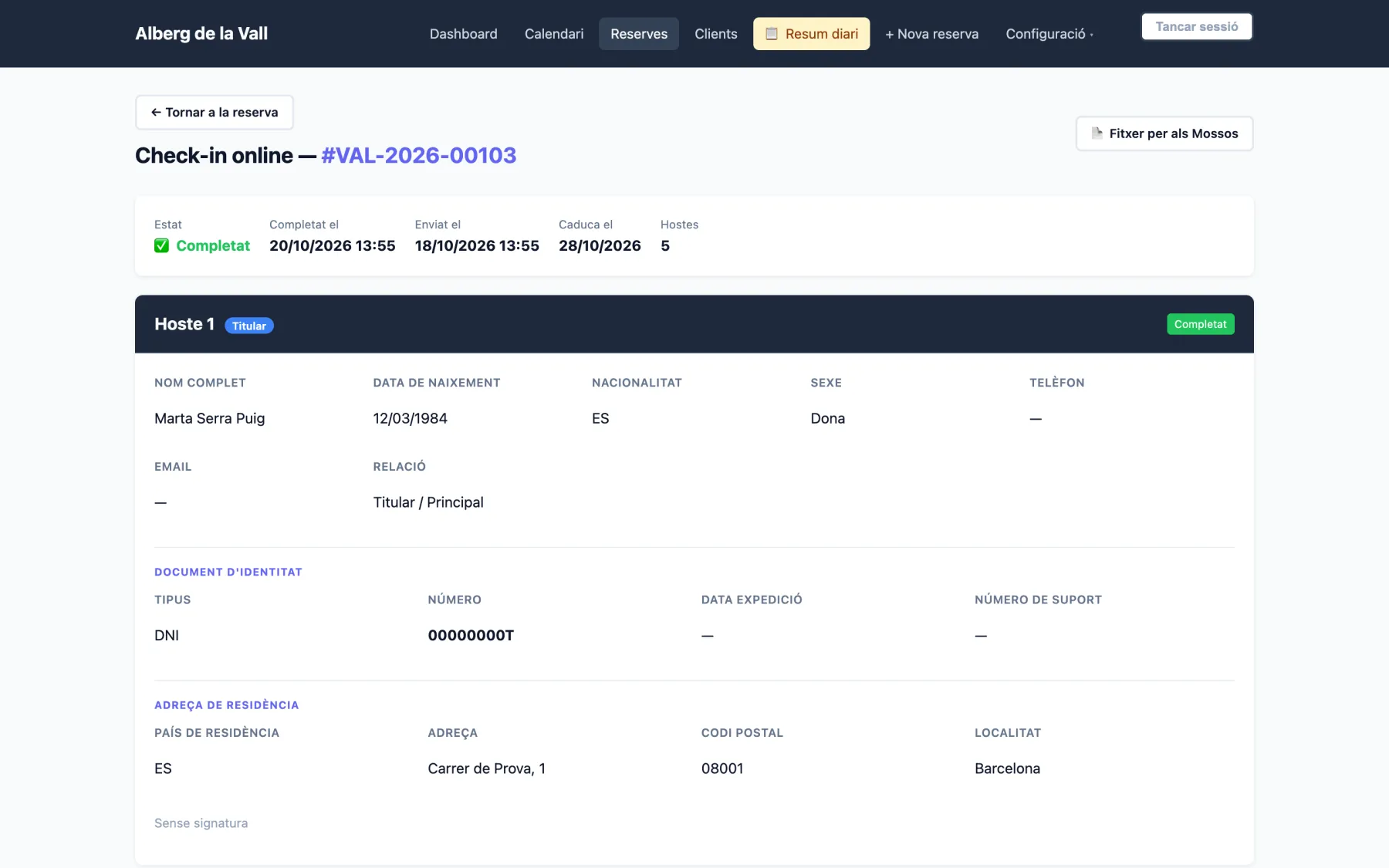
Online check-in

Guests fill in their details on their phone before arriving. You get everything ready and prepare the mandatory police report without typing a thing.

  1. 1
    Done before arrivalWhen it was sent, when it was completed and how many guests.
  2. 2
    Each guest's IDID card or passport, with the fields the Interior Ministry requires.
  3. 3
    File for the MossosIn Catalonia, the V24 file ready to upload to the portal.
  4. 4
    From their phoneThe form comes pre-filled with the lead guest, in their language.
hostelop.com/admin/bookings/103/checkin
Online check-in
Online check-in

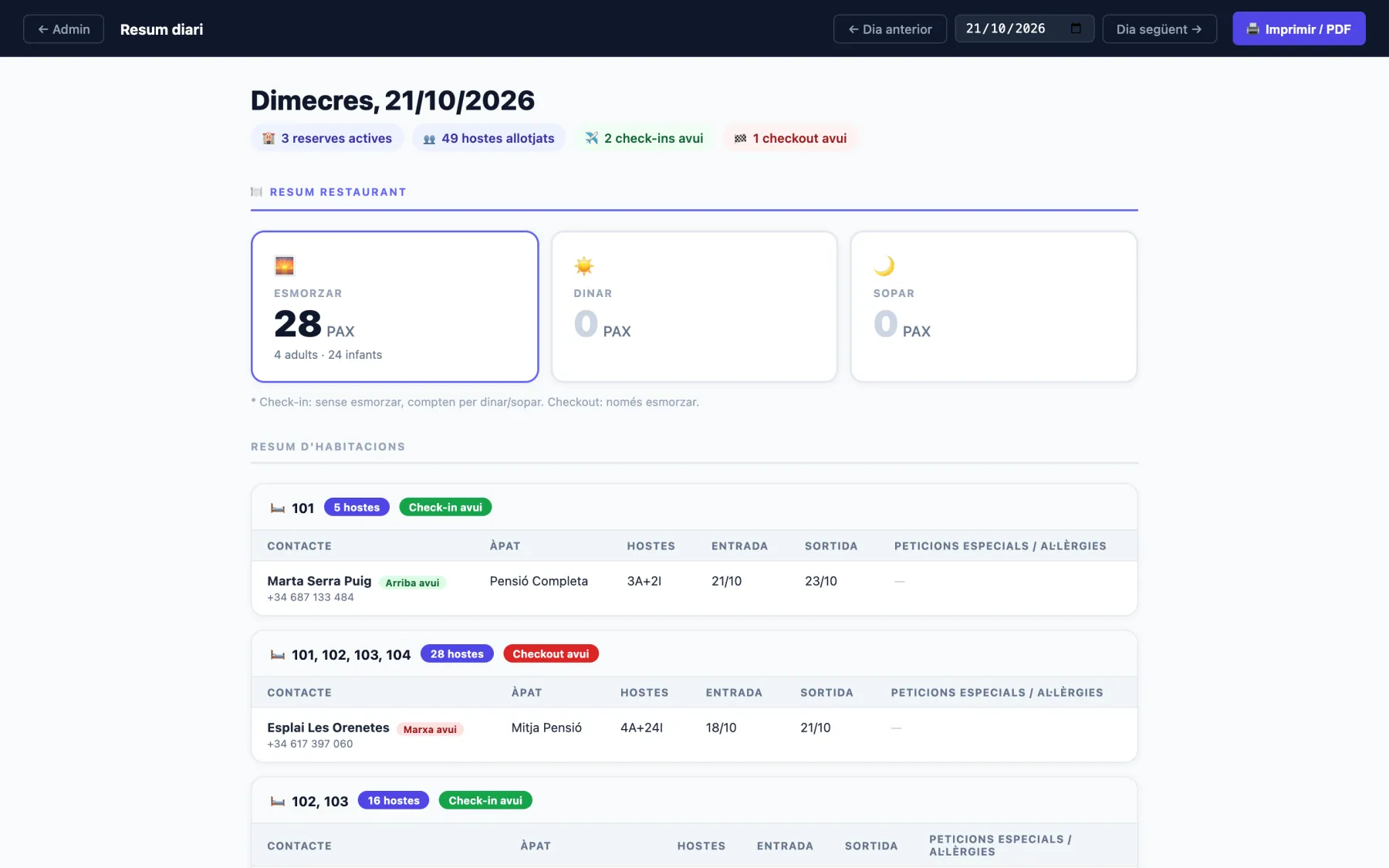
Daily summary for kitchen and front desk

How many breakfasts, lunches and dinners each day, who arrives and leaves, and allergies. Ready to print.

  1. 1
    Meals of the dayCounted from each booking's meal plan and arrival and departure days.
  2. 2
    Room by roomWho's staying, who arrives today and who leaves.
  3. 3
    Print or PDFTo pin up in the kitchen every morning.
hostelop.com/admin/reports/daily
Daily summary for kitchen and front desk

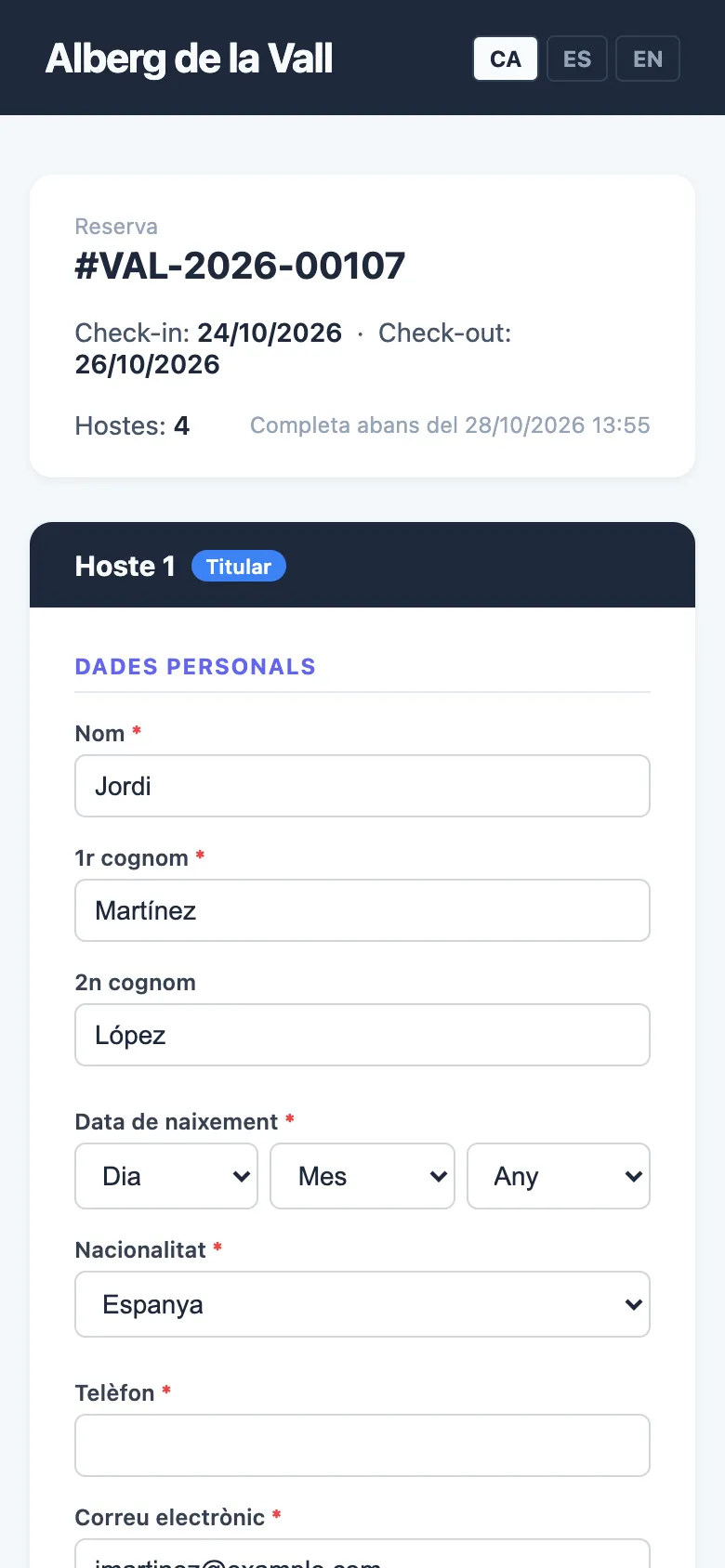
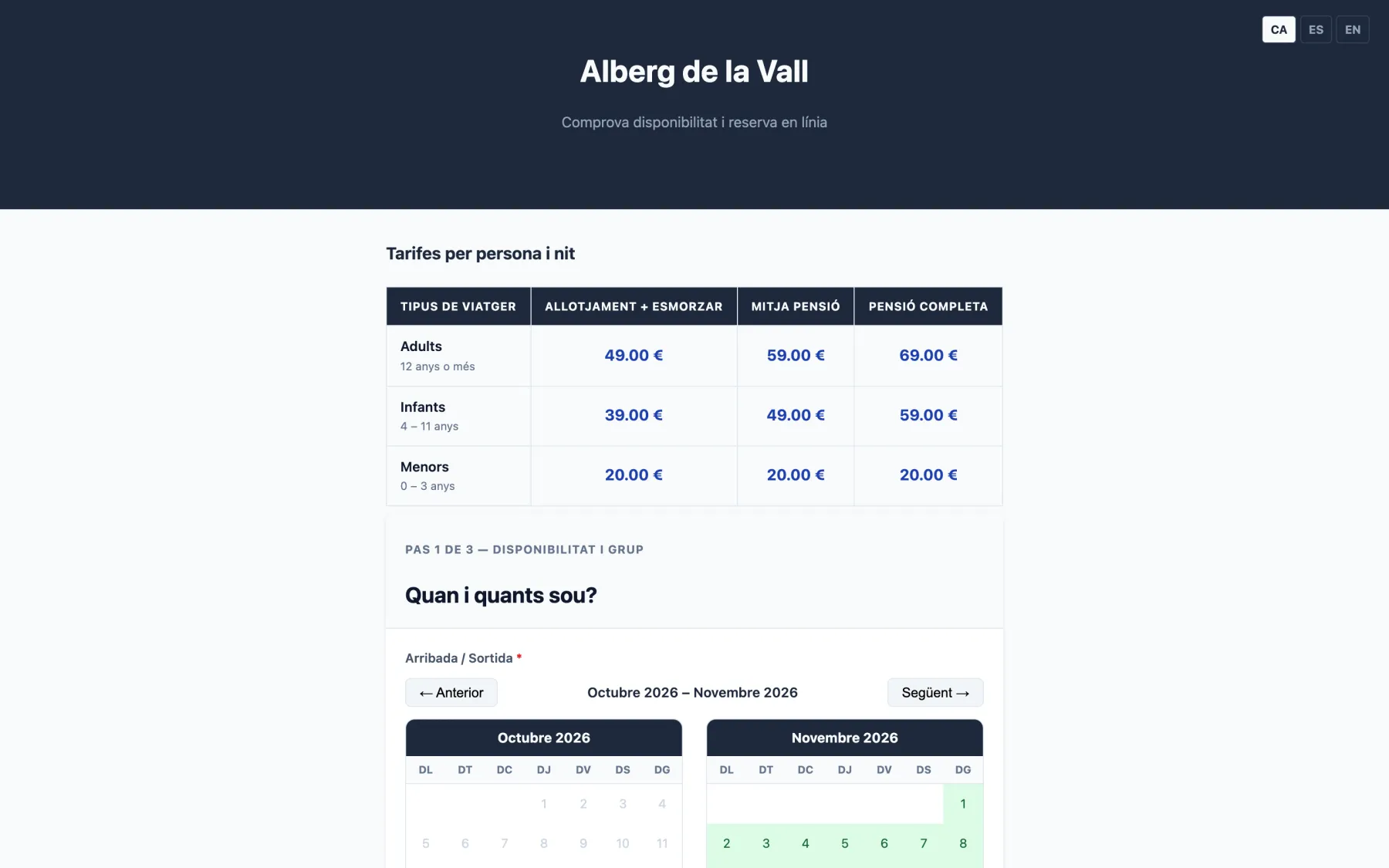
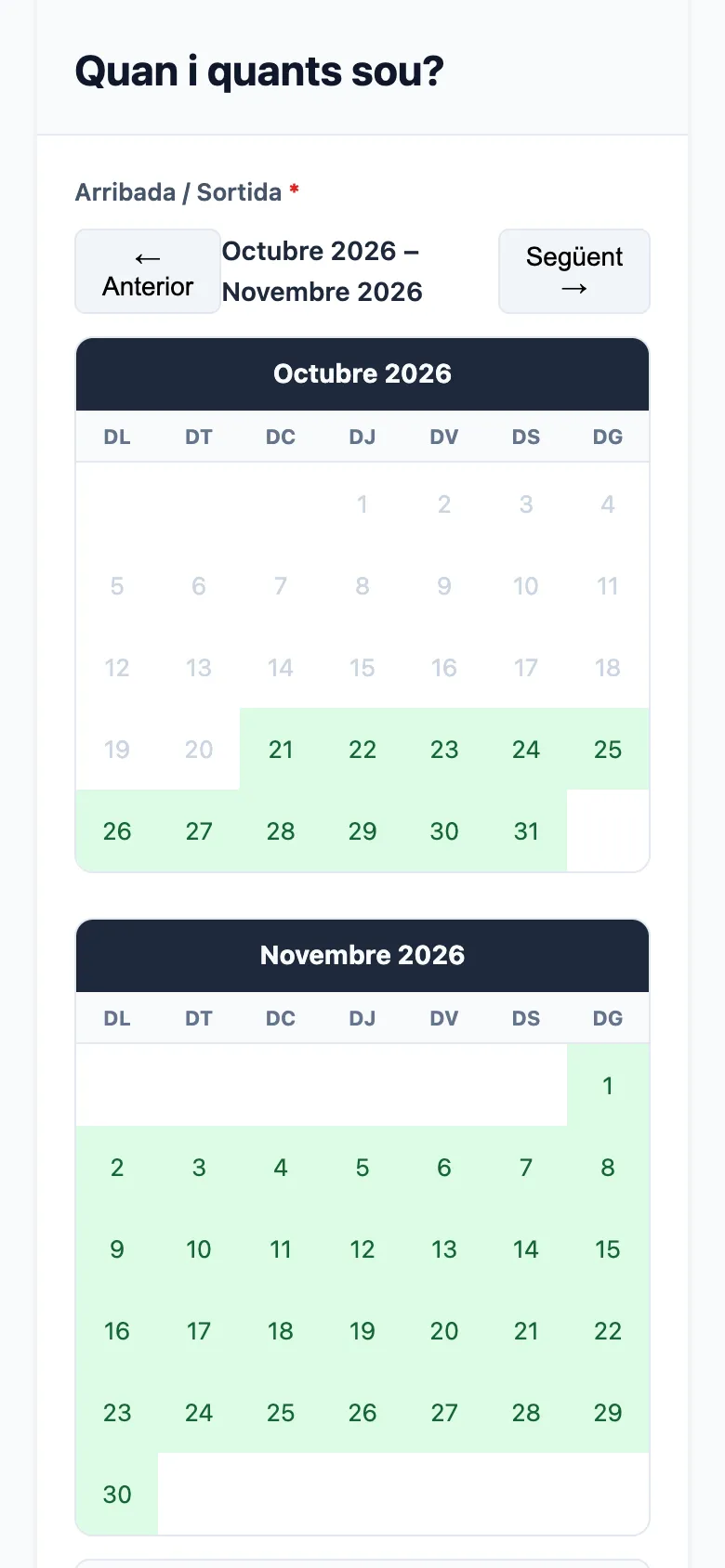
Your booking engine

Customers book on your website, in Catalan, Spanish or English, with no commission per booking.

  1. 1
    Clear ratesBy age and meal plan, exactly as you set them up.
  2. 2
    Live availabilityThe calendar shows the days with free beds.
  3. 3
    Three languagesAnd customer emails in their language too.
  4. 4
    Built for mobileMost bookings are made on a phone.
hostelop.com/alberg-de-la-vall/booking
Your booking engine
Your booking engine

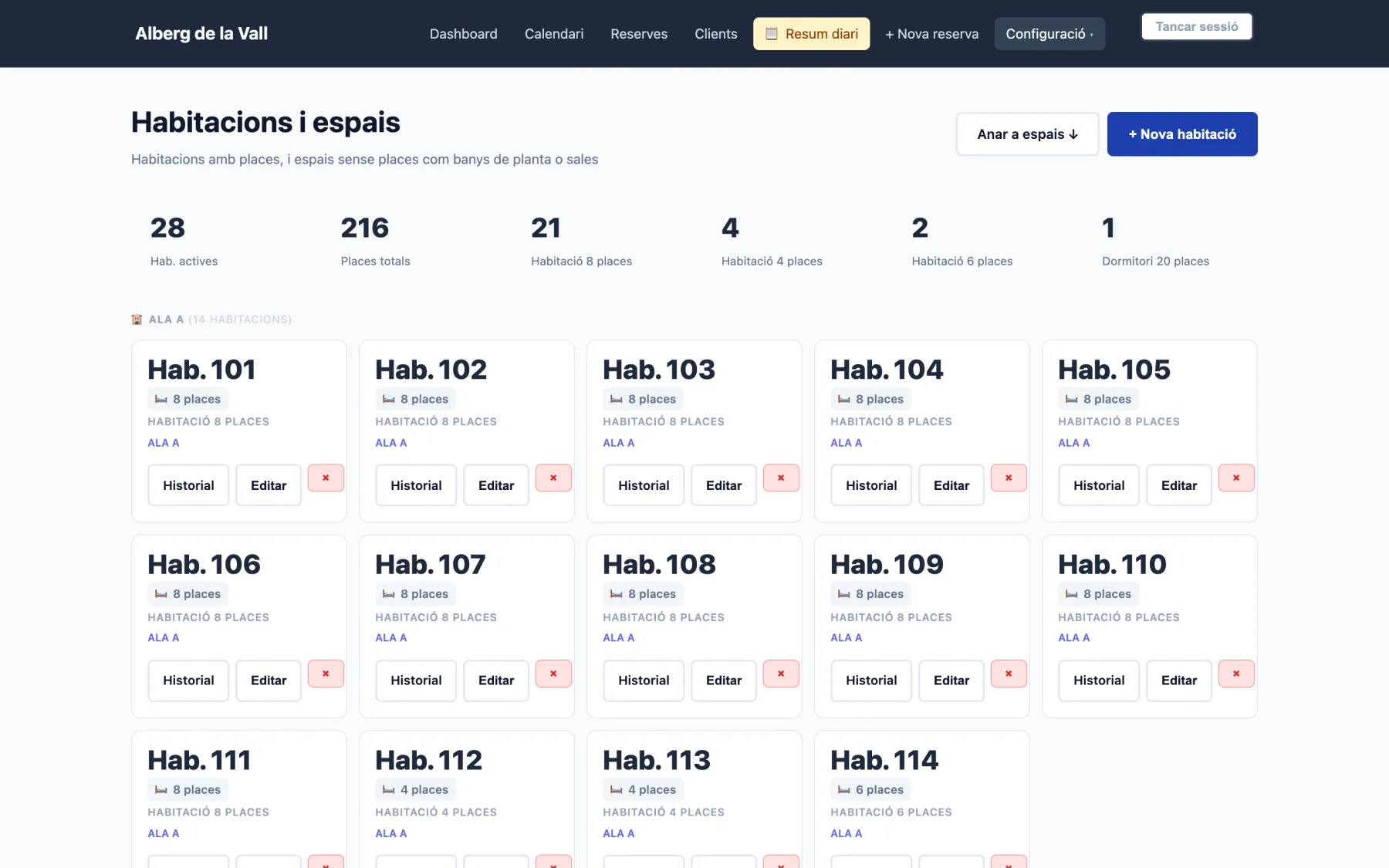
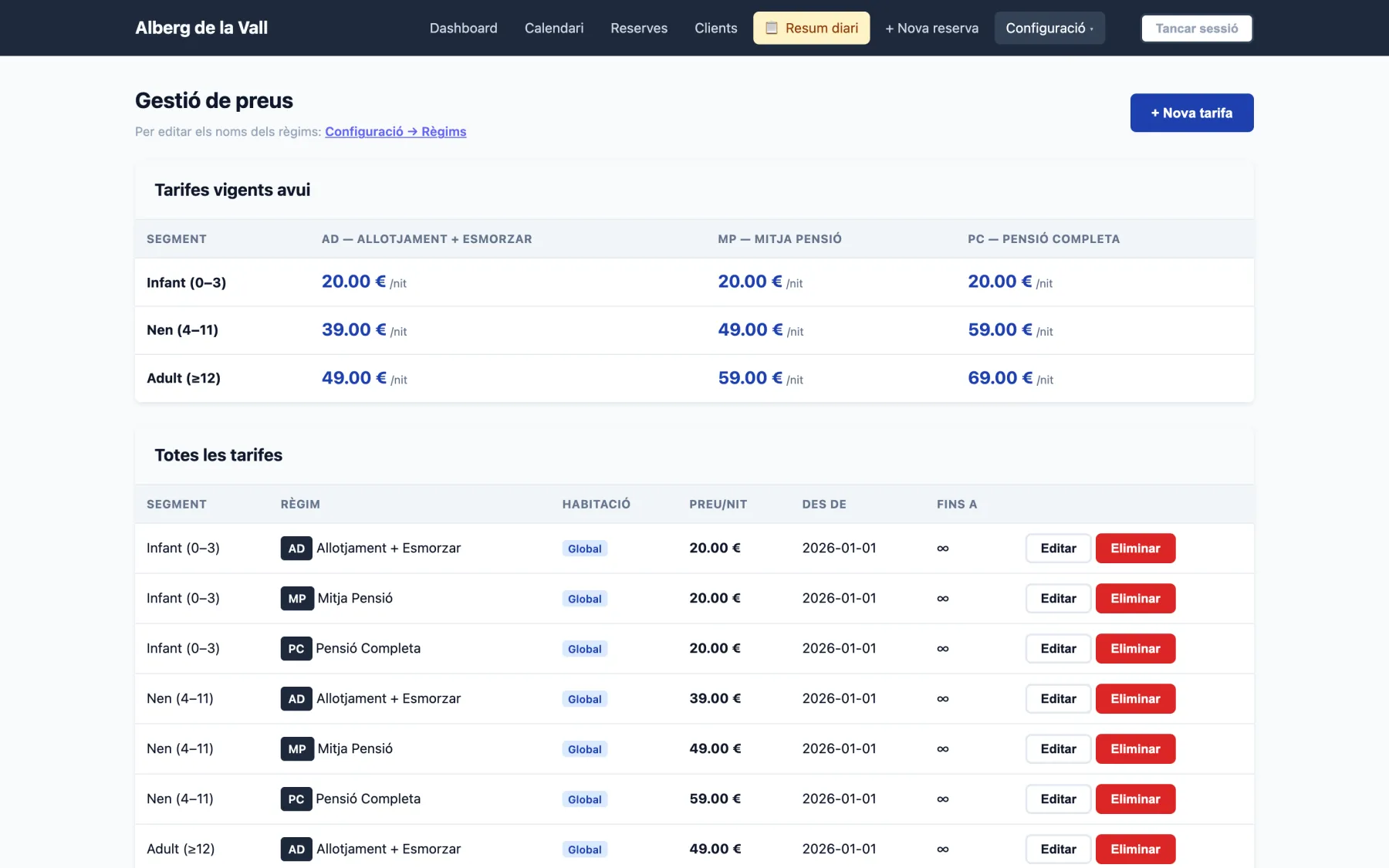
And also

Rooms and spaces
Rooms and spaces
Seasonal rates
Seasonal rates

Want to see it with your hostel?

Try it free for 10 days, or book a demo and we'll show you with your own rooms and rates.

Try it free for 10 days → Book a demo